
Microsoft Office Suite
🖥️ At A1 Infinity Nexus, Microsoft Office Suite support helps businesses create, organize, update, analyze, and maintain professional business documents, spreadsheets, presentations, and office workflows. We work within your existing Microsoft environment to keep everyday tasks accurate, structured, and ready for use.
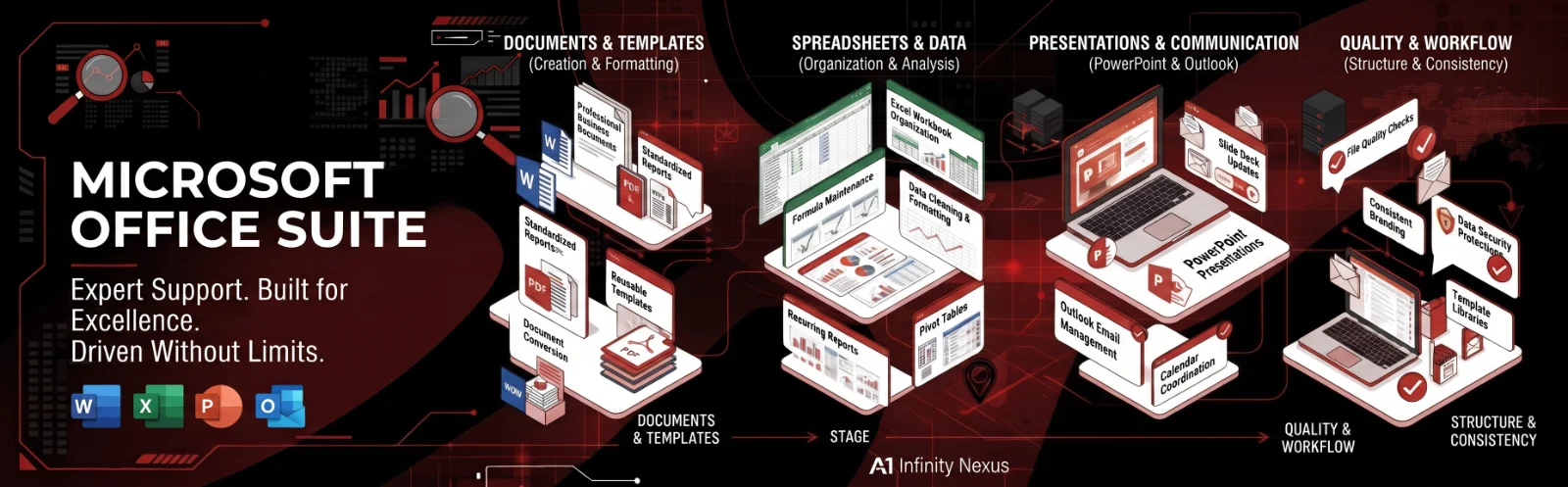
📊 What Professional Microsoft Office Support Involves
Microsoft Office is more than creating Word documents or filling Excel spreadsheets. Businesses often depend on Word, Excel, PowerPoint, Outlook, and related Microsoft 365 tools for reporting, documentation, communication, presentations, data organization, and day-to-day administration. Our support focuses on completing these tasks accurately while keeping formatting, structure, and business requirements consistent.
⚠️ Where Microsoft Office Work Can Become Time-Consuming
Office tasks can become repetitive when teams are constantly updating spreadsheets, formatting documents, preparing presentations, maintaining reports, or converting information between different file formats. Small formatting errors, inconsistent data, outdated templates, and poorly organized files can also make routine work harder to review, share, and maintain.
| Microsoft Office Challenge | How We Can Help |
|---|---|
| Repetitive document preparation | Create and maintain structured Word documents, templates, and business materials. |
| Complex spreadsheet work | Organize Excel data, formulas, tables, reports, and recurring spreadsheet updates. |
| Presentation preparation | Build, format, update, and maintain professional PowerPoint presentations. |
| Inconsistent formatting | Apply consistent layouts, styles, headings, tables, and document structures. |
| Manual reporting tasks | Prepare recurring Excel reports, summaries, dashboards, and presentation-ready information. |
| Disorganized office files | Structure documents, spreadsheets, presentations, and supporting files for easier access. |
| Data or formatting errors | Review completed work and perform quality checks before delivery or sharing. |
| Converting information between formats | Transfer, restructure, format, and prepare business information across compatible Office files. |
🛠️ What We Can Handle Across Microsoft Office
Microsoft Word Documents
Create, edit, format, and maintain professional business documents including reports, proposals, forms, letters, templates, SOPs, meeting documents, and other structured Word files while keeping layouts and formatting consistent.Microsoft Excel Workbooks
Organize spreadsheets, clean and structure data, maintain formulas, update tables, prepare recurring reports, format worksheets, and support business tracking systems that depend on accurate and well-organized Excel information.Microsoft PowerPoint Presentations
Prepare and update professional presentations by organizing content, improving slide structure, maintaining consistent formatting, and turning business information into clear presentation-ready material.Microsoft Outlook Support
Support business email and calendar-related administrative work, including message organization, scheduling coordination, follow-up tracking, contact information, and recurring communication tasks within your established workflow.Templates & Business Documents
Build reusable Word, Excel, and PowerPoint templates that help your team produce recurring documents faster while maintaining consistent formatting, structure, terminology, and presentation standards.Reports & Business Spreadsheets
Prepare recurring operational reports, tracking sheets, summaries, tables, and spreadsheet-based business information so teams can work with organized information instead of repeatedly rebuilding the same files.Data Formatting & Organization
Restructure information within Office files, standardize tables and fields, clean inconsistent entries, organize worksheets, and prepare business data for easier review, reporting, or further analysis.Document Conversion & Preparation
Prepare Office documents for sharing, printing, presentation, or PDF delivery while checking layouts, tables, page structure, headings, and other important formatting elements before final use.Office File Quality Checks
Review documents, spreadsheets, and presentations for missing information, inconsistent formatting, obvious data issues, broken layouts, and other quality problems before the final file reaches your team or customers.
🔄 How We Turn Office Tasks Into Reliable Business Work
1. Define the Required Output
We first identify what the file needs to accomplish, who will use it, what information it must contain, and whether it is a one-time document or part of a recurring business workflow.
2. Establish the Working Structure
We organize the required content, data, formatting rules, templates, calculations, or presentation structure before completing the actual Office work.
3. Build or Update the File
The required Word document, Excel workbook, PowerPoint presentation, Outlook task, or supporting Office file is prepared according to your instructions, existing standards, and preferred working style.
4. Review the Completed Work
We check important details such as formatting, data consistency, formulas, layouts, headings, tables, file structure, and obvious errors before the work is delivered.
5. Prepare for Reuse
Where a task repeats regularly, we can create templates, structured workbooks, checklists, or standardized formats that make future Office work easier and more consistent.
6. Maintain the Workflow
For ongoing support, we continue updating the relevant files and recurring Office tasks as new information, reporting periods, projects, or business requirements arise.
💎 What Better Microsoft Office Support Can Give Your Business
More productive working hours by moving repetitive Office tasks away from founders, managers, and core team members.
More consistent business documents through reusable templates, organized formatting, and defined working standards.
Cleaner business information through structured spreadsheets, organized files, and careful data handling.
Faster recurring reporting by maintaining established Excel reports, trackers, and document workflows.
Professional presentation quality across documents, spreadsheets, proposals, reports, and presentations used internally or externally.
🏢 Microsoft Office Support Across Different Business Functions
Microsoft Office Suite support can fit into many business environments, including administration, operations, sales, customer support, real estate, property management, e-commerce, research, finance administration, project coordination, and management reporting. Whether your team needs recurring Excel updates, polished Word documents, presentation preparation, or organized office administration, the workflow can be structured around the way your business already operates.
🎯 Built Around Your Existing Microsoft Environment
We do not force every business into the same template or workflow. Your existing files, naming conventions, formatting preferences, reporting requirements, approval process, and communication standards can all be considered when completing the work. The goal is to make Microsoft Office support fit naturally into your current operations rather than creating another complicated system for your team.
🔐 Professional Files With Careful Quality Standards
Business documents and spreadsheets often contain operational, customer, financial, property, or internal information. Our approach emphasizes organized file handling, accurate updates, careful review, consistent formatting, and clear communication so completed Office work is ready for its intended business use.
💻 Microsoft Office Suite Tools & Platforms
| Area | Tools & Platforms |
|---|---|
| Documents | Microsoft Word, Word for the web |
| Spreadsheets | Microsoft Excel, Excel for the web |
| Presentations | Microsoft PowerPoint, PowerPoint for the web |
| Email & Calendar | Microsoft Outlook |
| File Storage | OneDrive, SharePoint |
| Collaboration | Microsoft Teams |
| Notes & Information | OneNote |
| Business Data | Excel, CSV, tables, structured spreadsheets |
| File Formats | DOCX, XLSX, PPTX, PDF |
Microsoft 365 supports collaboration across Word, Excel, PowerPoint and other connected services, including cloud-based file sharing and real-time co-authoring.
📚 Build a More Efficient Office Workflow
Microsoft Office Suite → Data Analysis
Microsoft Office Suite → Document Management
Microsoft Office Suite → Why Choose Us
🚀 Get More Done With the Microsoft Tools Your Business Already Uses
From a single Excel workbook to an ongoing document and reporting workflow, A1 Infinity Nexus can provide structured Microsoft Office support around your actual business requirements. Give your team dependable execution without adding unnecessary full-time overhead.
📩 Start Your Microsoft Office Support
Tell us what you need created, updated, organized, analyzed, or maintained, and we can structure the work around your requirements and existing Microsoft environment.
💼 Flexible Engagements
Microsoft Office support can be arranged around recurring tasks, ongoing business administration, individual projects, or larger operational workflows, depending on what your business needs.
What is included
- Review your current workflow, goals, tools, and recurring challenges
- Create a clear task plan with priorities, ownership, and deadlines
- Complete and document the work with careful quality checks
- Provide proactive progress updates and flag issues before they grow
- Build reusable templates, checklists, and standard operating procedures
- Track results and continuously improve the process
Tools & platforms
Google Workspace, Microsoft Office, Slack, Zoom, Notion, Trello, Asana
Expected outcome
More time, fewer missed details, clear priorities, and dependable day-to-day execution.
Who this is for
Hourly & Project-Based Services
We work on both hourly and project-based engagements.