Google Workspace
☁️ At A1 Infinity Nexus, Google Workspace support helps businesses organize communication, documents, files, calendars, collaboration, and everyday cloud-based work. We work within your existing Google Workspace environment to keep information structured, tasks coordinated, and your team working from one reliable system.
🌐 What Professional Google Workspace Support Involves
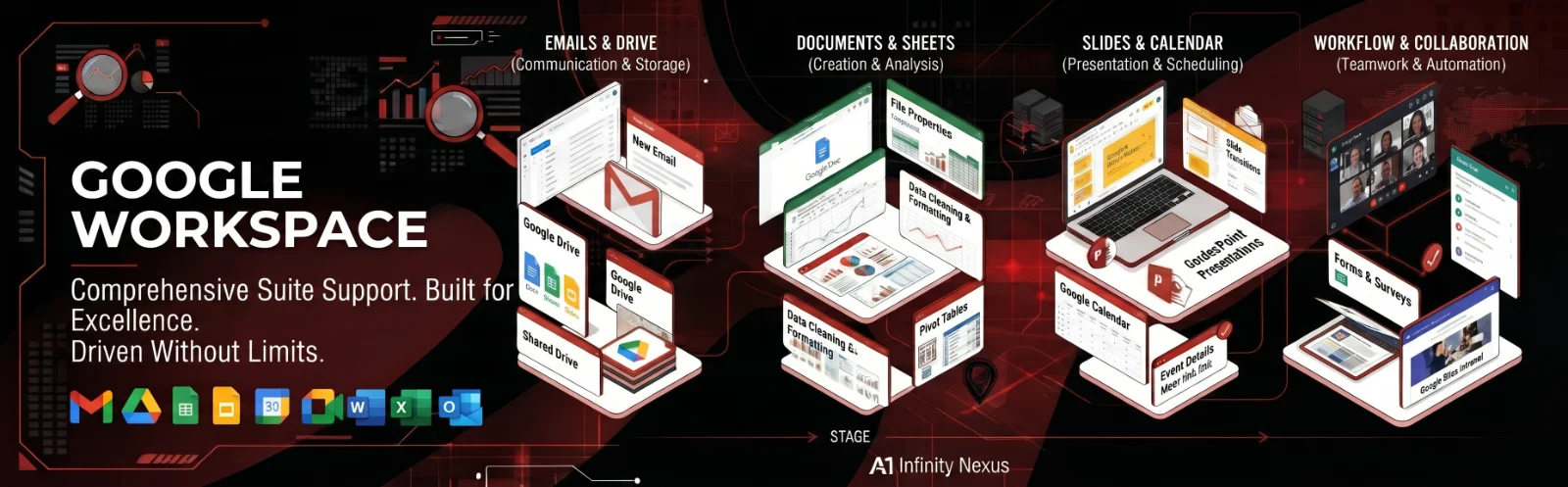
Google Workspace connects business email, cloud storage, documents, spreadsheets, presentations, calendars, meetings, team communication, and other productivity tools in one environment. Our support focuses on helping businesses use these connected tools effectively while maintaining organized files, consistent workflows, accurate information, and dependable day-to-day administration.
⚠️ Where Google Workspace Work Can Become Difficult
As a business grows, Google Workspace can quickly accumulate shared files, emails, calendars, spreadsheets, documents, meeting information, and team tasks. Without clear organization, teams can struggle with duplicate files, outdated documents, inconsistent folder structures, missed calendar commitments, unclear ownership, and information spread across multiple Google applications.
| Google Workspace Challenge | How We Can Help |
|---|---|
| Disorganized Google Drive | Organize folders, files, naming structures, permissions, and shared resources for easier access. |
| Repetitive Google Docs work | Create, format, update, and maintain professional documents and reusable templates. |
| Complex Google Sheets | Clean, structure, update, and maintain spreadsheets, trackers, reports, and business data. |
| Calendar coordination | Manage schedules, recurring events, meetings, reminders, and appointment-related activities. |
| Gmail overload | Organize inboxes, support email workflows, track follow-ups, and maintain communication structures. |
| Meeting coordination | Support Google Meet scheduling, meeting preparation, follow-ups, and related documentation. |
| Scattered team information | Connect documents, files, calendars, communication, and recurring tasks into a clearer workflow. |
| Repetitive administrative work | Standardize recurring Workspace tasks through templates, checklists, and structured processes. |
🛠️ What We Can Handle Across Google Workspace
Gmail & Business Email Support
Organize inboxes, support email workflows, prepare responses, maintain labels and folders, track important conversations, and help manage recurring communication tasks within your established business standards.Google Drive Organization
Structure folders, organize shared files, standardize naming conventions, identify duplicate or outdated documents, and maintain a cleaner cloud storage environment that makes important business information easier to locate.Google Docs Support
Create, edit, format, update, and maintain business documents including reports, proposals, SOPs, templates, meeting notes, internal documentation, and other materials used throughout your organization.Google Sheets Support
Maintain spreadsheets, organize business data, update trackers, clean information, prepare recurring reports, structure tables, and support spreadsheet-based operational workflows.Google Slides Presentations
Create and update presentations, organize slide content, maintain consistent formatting, and prepare business information for internal meetings, client presentations, proposals, or reporting.Google Calendar Management
Coordinate meetings, appointments, recurring events, reminders, availability, and scheduling requirements while keeping important commitments organized within your existing calendar structure.Google Meet Coordination
Support meeting scheduling, invitations, calendar coordination, meeting information, and follow-up activities so virtual meetings connect smoothly with the rest of your business workflow.Google Forms & Data Collection
Create or maintain structured forms for information collection, surveys, requests, registrations, internal processes, and other workflows where responses need to be organized for further use.Shared Workspace Collaboration
Help structure collaborative documents, shared files, comments, responsibilities, and working information so multiple team members can work from current versions instead of creating disconnected copies.Google Workspace Administration Support
Provide administrative assistance around user information, shared resources, organizational structures, and routine Workspace management tasks while keeping account-level decisions and permissions aligned with your business requirements.
🔄 How We Build a More Organized Google Workspace
1. Map Your Current Workspace
We first review how your business uses Gmail, Drive, Docs, Sheets, Calendar, Meet, and other relevant Workspace tools so we understand where information currently lives and how work moves between applications.
2. Establish the Working Structure
We define practical folder structures, naming conventions, document standards, spreadsheet formats, calendar rules, communication practices, and recurring task requirements based on your existing business workflow.
3. Organize the Working Environment
We then clean, structure, update, or prepare the relevant Workspace information so files, documents, spreadsheets, schedules, and communication resources are easier for your team to use.
4. Connect Related Workflows
Where appropriate, we coordinate information across connected Workspace tools-for example, linking calendar activities with meetings, documents with shared Drive folders, or spreadsheet information with recurring reporting processes.
5. Standardize Repetitive Tasks
Recurring work can be supported through reusable templates, checklists, document structures, spreadsheet formats, and defined procedures so your team does not have to rebuild the same workflow repeatedly.
6. Maintain the Workspace Over Time
For ongoing support, we continue updating files, organizing information, maintaining recurring tasks, and supporting the Workspace environment as your business, team, and operational requirements change.
💎 What Better Google Workspace Support Can Give Your Business
Less time spent searching for information through cleaner Drive structures, organized documents, and consistent file management.
More consistent business communication through structured Gmail workflows, templates, follow-up tracking, and defined communication standards.
Better collaboration by helping teams work from shared documents, spreadsheets, calendars, and current files instead of disconnected versions.
More efficient recurring work through reusable templates, standardized spreadsheets, checklists, and organized Workspace processes.
A clearer digital working environment where business information is easier to access, update, share, and maintain.
🏢 Google Workspace Across Different Business Functions
Google Workspace support can fit into administration, operations, sales, customer support, real estate, property management, e-commerce, research, project coordination, marketing, and management reporting. From maintaining a shared business Drive to preparing recurring Sheets reports or coordinating team calendars, the tools can support many different operational requirements.
🎯 Built Around Your Existing Google Environment
Every business uses Google Workspace differently. We can work around your current folder structures, document formats, spreadsheet systems, calendar preferences, communication standards, team responsibilities, and approval processes instead of forcing your business into a completely new way of working.
🔐 Organized Cloud Work With Clear Standards
Google Workspace combines cloud storage, collaboration, communication, and business productivity tools, while business editions also provide administrative and security controls. Our support focuses on organized execution and careful handling of your business information, with account security, access permissions, and other administrative decisions handled according to your organization's requirements.
💻 Google Workspace Tools & Platforms
| Area | Tools & Platforms |
|---|---|
| Gmail | |
| Cloud Storage | Google Drive |
| Documents | Google Docs |
| Spreadsheets | Google Sheets |
| Presentations | Google Slides |
| Calendar | Google Calendar |
| Meetings | Google Meet |
| Team Communication | Google Chat |
| Forms & Data Collection | Google Forms |
| Team Sites | Google Sites |
| Notes | Google Keep |
| Tasks | Google Tasks |
| Administration | Google Admin |
| Collaboration | Shared Drives, Docs, Sheets, Slides |
| Business Productivity | Google Workspace |
Google currently lists Gmail, Drive, Meet, Chat, Calendar, Docs, Sheets, Slides, Forms, Sites, Keep, Tasks and administrative/security tools within the broader Workspace ecosystem.
🔗 Explore Related Google Workspace Support
- Document Management - Keep business documents organized, structured, updated, and easy to access across your Google Workspace environment.
- Email Management - Maintain organized inboxes, communication workflows, follow-ups, and recurring email tasks alongside your Google Workspace operations.
- Why Choose Us - See how A1 Infinity Nexus provides structured, reliable, and business-focused support built around your existing workflow.
🚀 Make Google Workspace Work Better for Your Business
Your Google Workspace should make business information easier to manage-not create another layer of administrative work. A1 Infinity Nexus can support the documents, spreadsheets, email, files, calendars, meetings, and recurring workflows your business depends on so your team can spend more time on higher-value priorities.
📩 Start Your Google Workspace Support
Tell us which Google Workspace tasks are consuming your time, and we can structure the support around your existing tools, workflow, and business requirements.
💼 Flexible Engagements
Google Workspace support can be arranged around recurring administration, ongoing workspace maintenance, individual projects, document and spreadsheet work, or broader operational workflows, depending on what your business needs.
What is included
- Review your current workflow, goals, tools, and recurring challenges
- Create a clear task plan with priorities, ownership, and deadlines
- Complete and document the work with careful quality checks
- Provide proactive progress updates and flag issues before they grow
- Build reusable templates, checklists, and standard operating procedures
- Track results and continuously improve the process
Tools & platforms
Google Workspace, Microsoft Office, Slack, Zoom, Notion, Trello, Asana
Expected outcome
More time, fewer missed details, clear priorities, and dependable day-to-day execution.
Who this is for
Hourly & Project-Based Services
We work on both hourly and project-based engagements.